Storage & display
Jars, safes and display-oriented blocks give builds more expressive ways to store, show and organize items while keeping a vanilla-style look.
Bring more purpose to everyday builds with carefully integrated utility, decoration and interaction. This independent guide helps you understand supported loaders, required dependencies, installation choices and practical use before you change a world.

Functional blocks, subtle automation and decorative pieces are designed to extend familiar building patterns rather than replace them.

The project is built around useful additions that feel visually compatible with Minecraft instead of replacing its core progression. Its content spans decoration, storage, game mechanics and utility.
Many additions combine decoration with a purpose, so a workshop, kitchen, village or storage room gains both visual detail and useful interaction.
Signposts, jars, lighting, planters and related blocks are designed to sit naturally beside vanilla materials and redstone-focused builds.
The important installation rule is simple: Minecraft, the mod loader, Supplementaries and Moonlight Lib must all target the same compatible version line.
Supplementaries focuses on small but meaningful additions instead of a single progression system. The result is a broader toolkit for building, storage, navigation, lighting and automation.
Jars, safes and display-oriented blocks give builds more expressive ways to store, show and organize items while keeping a vanilla-style look.
Signposts, way-sign style elements and map-related utilities help routes, settlements and shared worlds communicate location more clearly.
Sconces, candles, lantern-style pieces, planters and decorative utilities make interiors and outdoor builds more detailed without overwhelming the base aesthetic.
Faucets, weather vanes, spring launchers and automation-friendly mechanics add practical interactions that builders and redstone players can integrate into everyday worlds.
Most setup problems come from mixing versions or loaders. A clean installation starts by matching the complete stack rather than adding files at random.
Confirm the exact game version first, then choose the Supplementaries file built for the loader used by that instance, such as Fabric or NeoForge on current 1.21.1 builds.
Use a Moonlight Lib build compatible with the same Minecraft version and loader. A mismatch here commonly appears as a dependency or startup error.
Place the matching loader-ready mod file in the instance mods folder, keep a world backup, and test the game before changing the rest of your modpack.
Current 1.21.1 Fabric releases are available. Keep Fabric-side dependencies aligned with the selected build.
Current 1.21.1 NeoForge releases are available. Use NeoForge-specific files rather than Fabric packages.
The standard Java mod is not a native Bedrock add-on and cannot be installed directly into normal Minecraft PE.
Add practical decorative elements to storage rooms, kitchens, workshops and village builds.
Use it where the goal is more building and utility depth without a complete progression overhaul.
Expand the palette for signs, lighting, planters and environmental details in themed builds.
Back up important worlds, then change one part of the mod stack at a time. A loader-ready JAR belongs in the mods folder; source-code archives do not.
The provided project link downloads the 1.21.1 source branch as a ZIP archive. This is source code, not a ready-to-run mod JAR. Players should use a compiled release matching their Minecraft version and loader.
Download Supplementaries Mod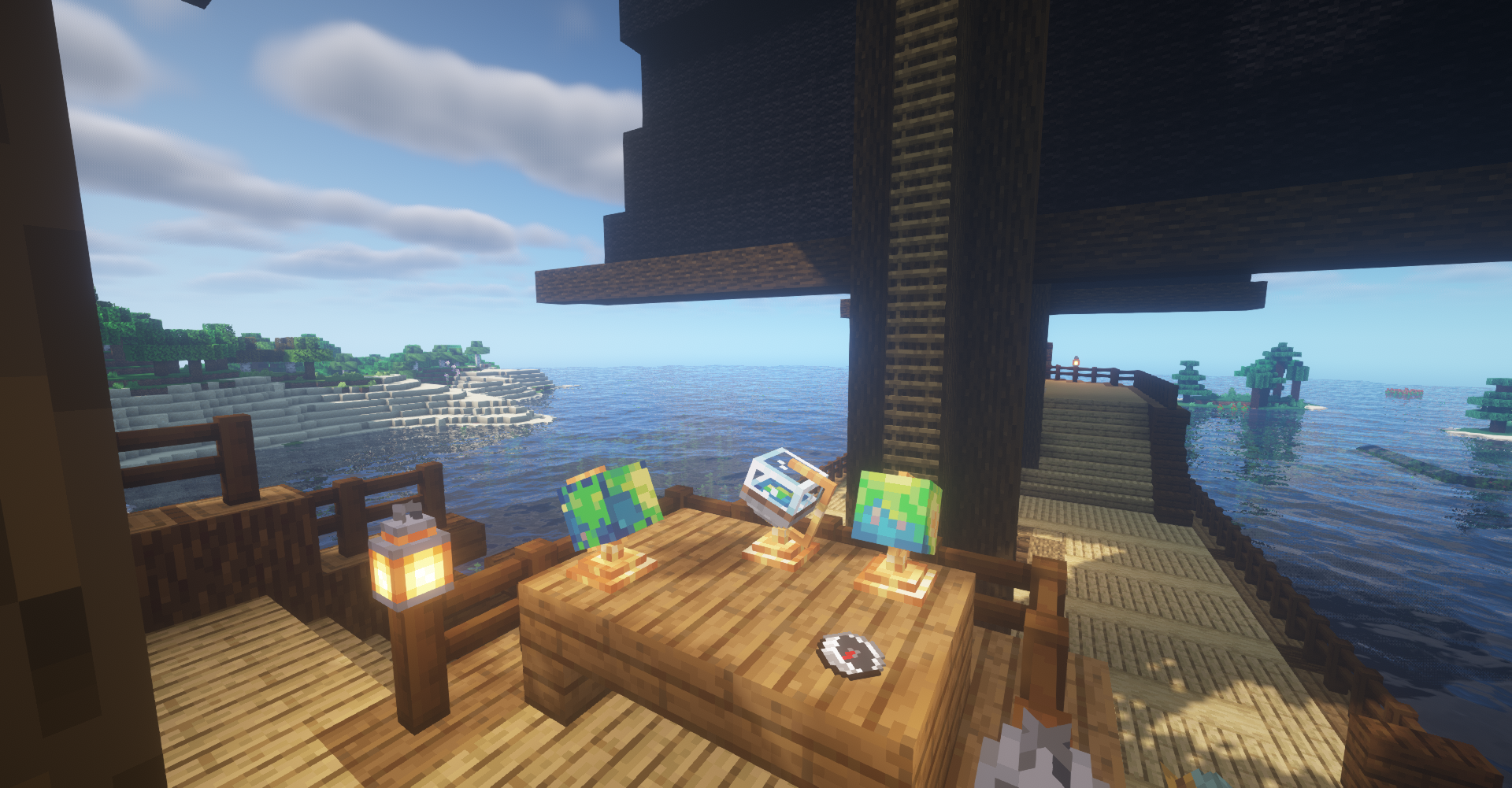
As checked on September 16, 2026, the project lists version 3.9.9 for Minecraft 1.21.1 on both NeoForge and Fabric, published September 10, 2026. Release availability changes over time, so always match the exact build you install.
Install Moonlight Lib that matches the same Minecraft version and loader as Supplementaries.
Do not put Fabric and NeoForge builds into the same role. Use the file made for the instance loader.
The provided GitHub archive is source code. A normal modded client requires a compiled release JAR, not the source ZIP.
Understand the loader, dependency and file matching process for Fabric.
Read guideSee why Moonlight Lib matters and how to avoid dependency mismatch errors.
Read guideDiagnose crashes, source-archive mistakes and loader conflicts.
Read guideChoose a category, then open one answer at a time.
Supplementaries Mod is a Minecraft Java Edition Vanilla+ content mod focused on functional and decorative blocks such as jars, signposts, faucets, lighting, planters and small automation-focused additions.
Yes. Current 1.21.1 releases are published for NeoForge and Fabric. Match the mod file, loader and Minecraft version before launching the game.
Yes. Moonlight Lib is a required dependency for current Supplementaries builds. Install the matching Moonlight Lib version for your Minecraft version and loader.
Yes. Fabric builds are available. You also need the required Fabric-side dependencies appropriate for the selected release.
Yes. NeoForge builds are available for current 1.21.1 releases. Use the NeoForge file rather than a Fabric file.
The project has Forge releases for supported older Minecraft versions. For 1.21.1, current releases highlighted by the project are Fabric and NeoForge, so always check the exact file label.
No. Supplementaries is primarily a Java Edition mod and its standard mod files are not Bedrock add-on packages.
The Java mod file cannot be installed directly in Minecraft PE or standard Bedrock Edition. Mobile Java launchers are a separate setup and are not the same as native Bedrock support.
It expands vanilla-style building, decoration and utility with interactive blocks and small systems designed to fit naturally alongside Minecraft.
No. This is an independent information and download guidance website and is not affiliated with the Supplementaries Mod team or third-party platforms.
The most common causes are a missing or mismatched Moonlight Lib dependency, the wrong mod loader, or a game-version mismatch. Check the first dependency-related line in the crash report.
Loader-ready mod files normally go in the Minecraft instance mods folder. Do not place the provided source ZIP in the mods folder because it is source code, not a compiled loader-ready JAR.
The primary button uses the provided 1.21.1 GitHub source archive. It is useful for source access and review, but normal players generally need a compiled release file matching their loader.
Back up the world, confirm the Minecraft and loader versions, update Moonlight Lib to a compatible release, then replace the old Supplementaries file with the matching new build.
The project is designed for client-and-server environments. For multiplayer, keep compatible mod and dependency versions on the server and on connecting clients when required.
Do not repeatedly open and save the world while files are missing. Restore the correct mod and dependency versions first, then test a backup copy of the world.
No. A Fabric build belongs in a Fabric instance and a NeoForge build belongs in a NeoForge instance. Mixing loader-specific files is a common cause of startup failure.
A dependency error usually means Moonlight Lib is absent, too old, too new for the selected build, or built for a different loader or Minecraft version.
Its focus is Vanilla+ utility, decoration and interaction rather than replacing Minecraft progression. Exact behavior can vary by version and configuration.
Confirm your Minecraft version, mod loader, dependency version, whether you need a compiled JAR or source archive, and back up important worlds before changing a modded instance.